How to Purchase More Tokens
Step 1: Log in to Your Account
1. Open your browser and go to biela.dev
2. Click Log In at the top right corner of the page.
3. Enter your credentials to sign in to your biela.dev account.
Step 2: Go to the Billing Page
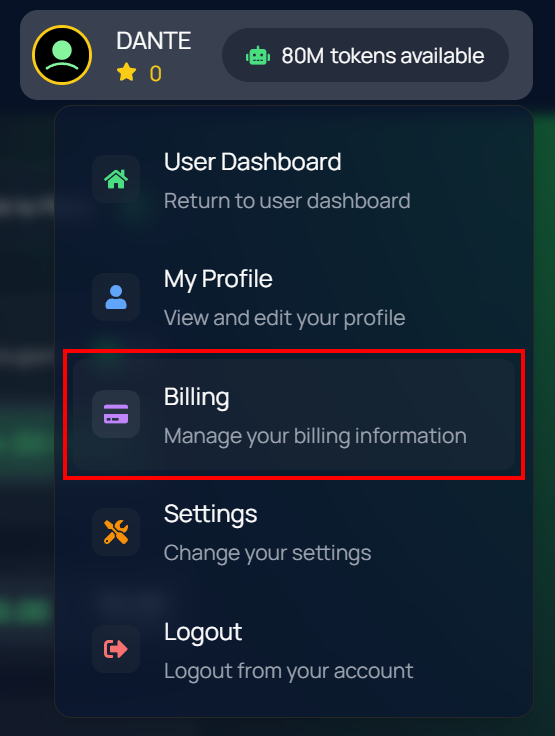
1. Once logged in, click on your profile icon in the top-right corner of the page to open the dropdown menu.
2. From the menu, select Billing. billing page
(This will take you to your account’s billing page.)
Step 3: Open the Token Purchase Page
1. On the Billing page, click Need more tokens?
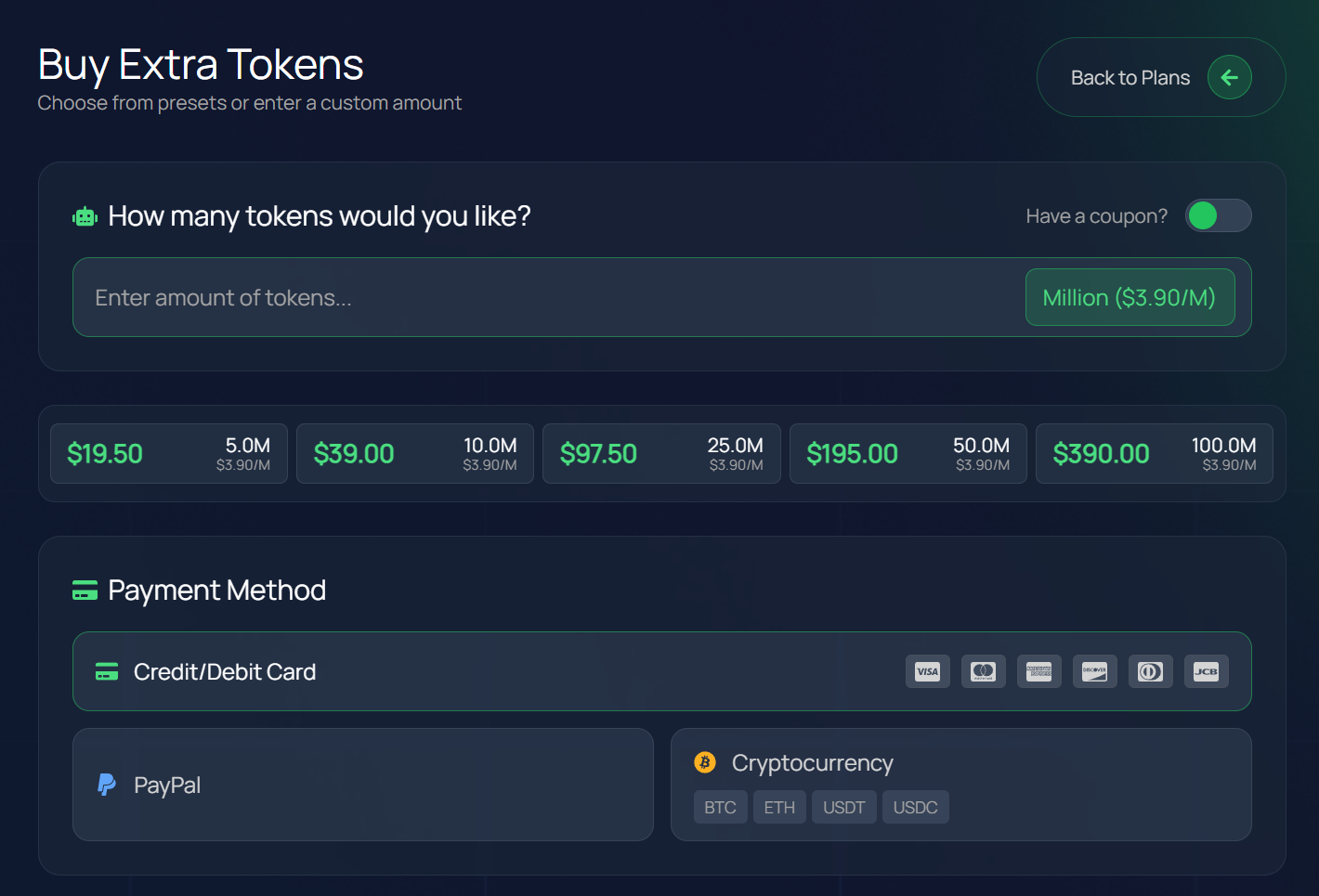
2. This will open the token purchase section, where you can view your current token balance and buy additional tokens.
Step 4: Choose How Many Tokens to Buy
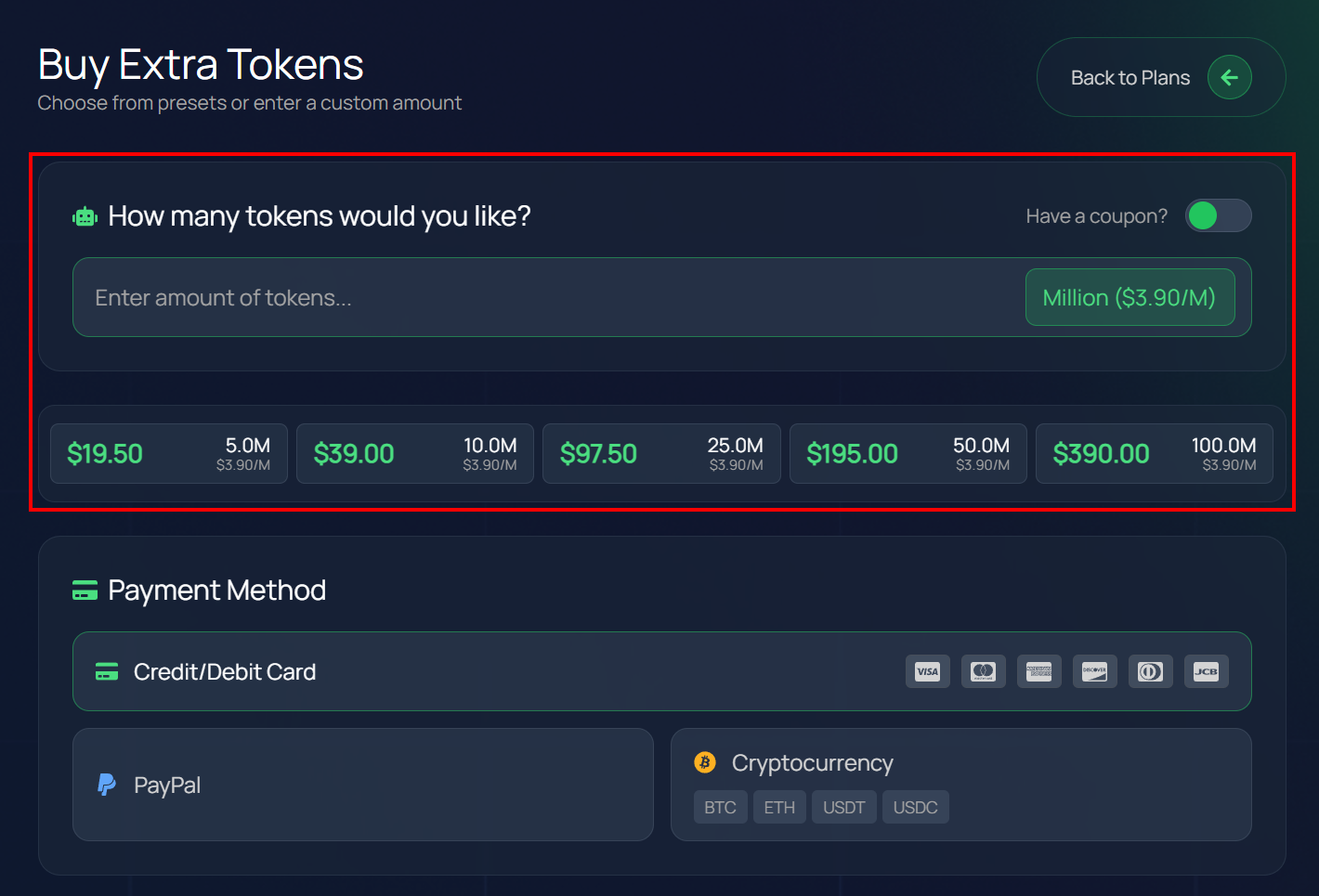
You can either enter a custom amount of tokens or select one of the available bundles.
Option 1 – Enter a Custom Amount
In the “Enter amount of tokens…” field, type the number of tokens you want to
✨
Example: Type 13 to buy 13 million tokens.
Option 2 – Select a Predefined Bundle
Choose from one of the available packages:
- $39.00 for 10M tokens
- $97.50 for 25M tokens
- $195.00 for 50M tokens
- $390.00 for 100M tokens
After selecting or entering your desired amount, proceed to the payment section.
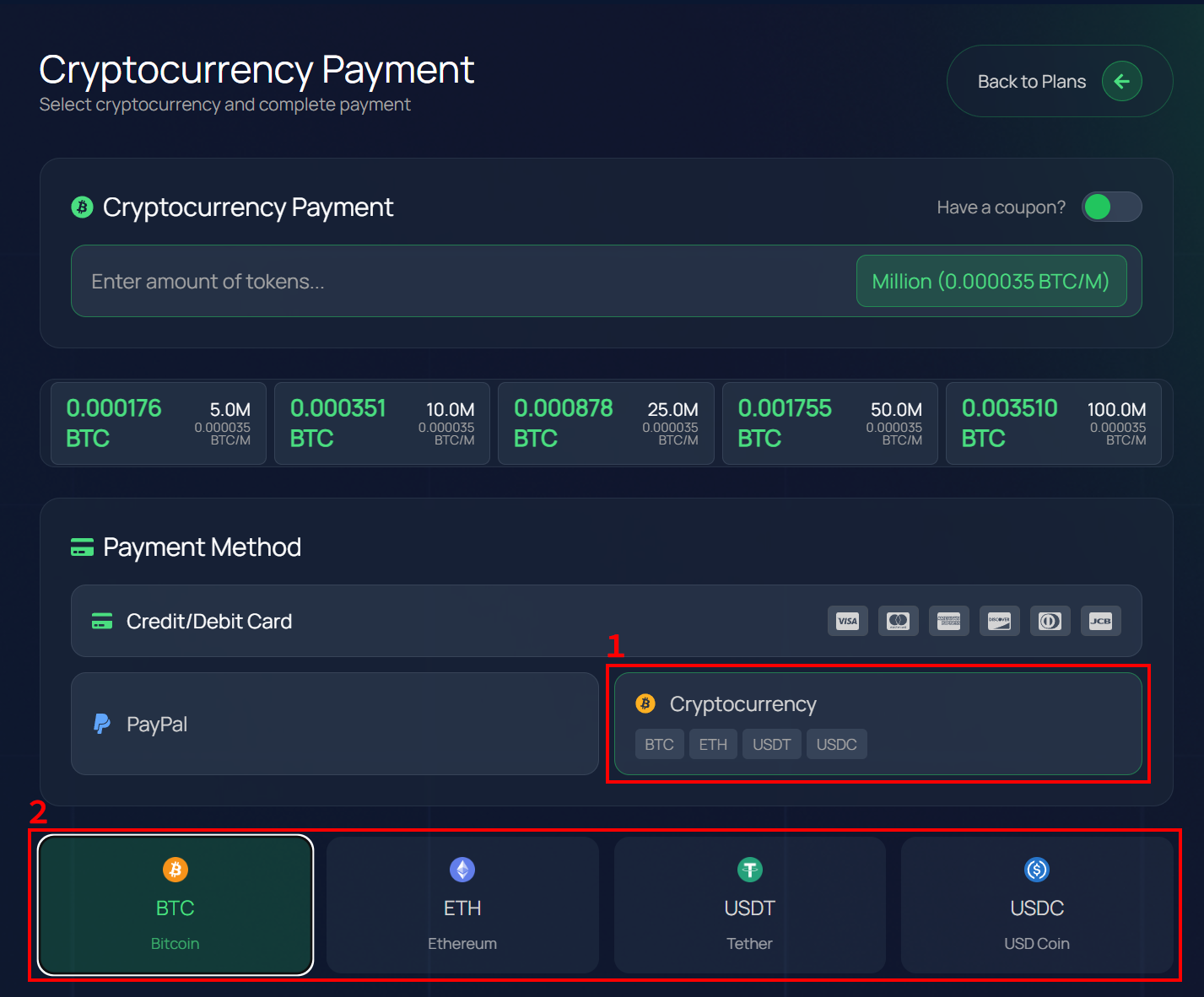
Step 5: Select a Payment Method
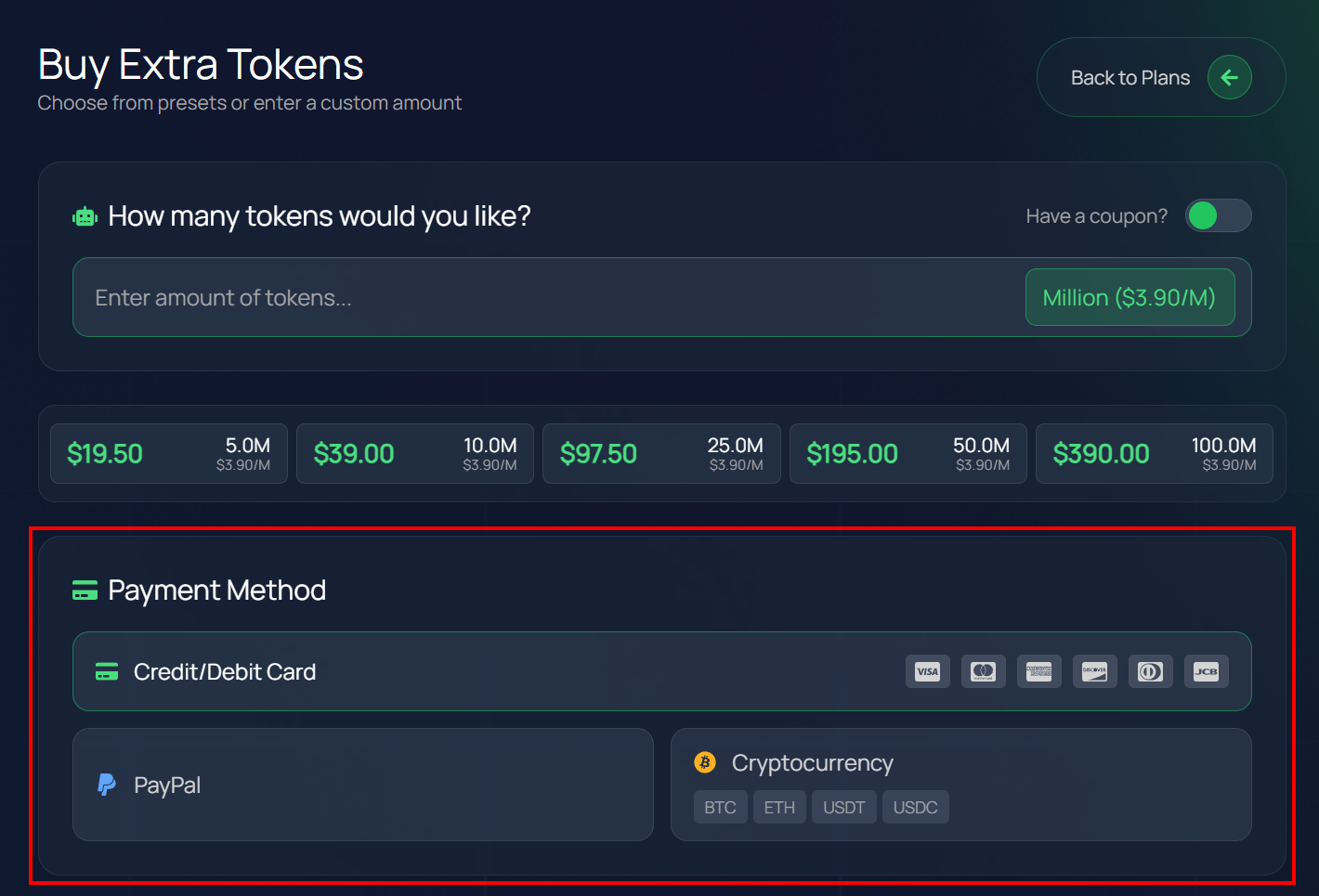
Choose your preferred payment option:
- PayPal
- BTC (Bitcoin)
- ETH (Ethereum)
- USDT (Tether)
- USDC
Click the payment method you want to use to proceed.
Step 6: Complete the Payment
1. Follow the on-screen instructions to complete the payment securely.
2. Once the transaction is processed, your token balance will automatically update in your account.
Step 7: Verify Your New Balance
Return to your User Dashboard and check your token balance to confirm the purchase was successful.
Pro Tip
To avoid running out of tokens, consider purchasing a larger package in advance. All payments are processed securely, and new tokens are added to your balance immediately after confirmation.